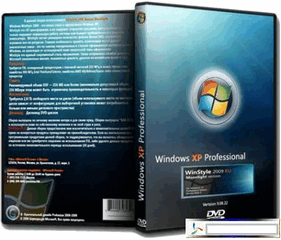
Windows 7 SP1 5 in 1 + 4 in 1 Full Activated ( x64/x86 ) [ Mediafire Link ]
Windows 7 SP1 5 in 1 & 4 in 1 Full Version ( 32 bit / 64 Bit ) - Ini merupakan paket hemat bagi anda yang ingin mengkoleksi semua versi windows 7. Mulai dari windows 7 starter, Homebasic, Homepremium, Professional dan Ultimate. Windows 7 SP1 dengan update-an terbaru di tahun 2012 Ini merupakan pilihan paket windows 7 All in One yang benar-benar sangat hemat, tidak ada yang di kurangi dari windows 7 ini dan apa yang ada di dalamnya masih original. Okey bagi bagi teman-teman yang berminat dengan windows 7 SP1 All in One ini tanpa basa basi lagi yuk di amankan.
Screenshot
System Requirements:
32-bit (x86) or 64-bit (x64) processor with a clock speed of 1 gigahertz (GHz) or higher;
1gigabyte (GB) (32-bit) or 2 GB (64-bit system), memory (RAM);
Microsoft Windows XP SP2 Mac OSX Glass Edition ISO [ Indowebster Single Link ]
Operating system ini adalah OS editan yang memiliki penampilan super apik, elegan, dan berbeda dari yang lain tentunya. Jika di banyak blog-blog lain anda menemukan Operating System Windows XP SP3 Mac OSX Glass Edition, jangan berpaling muka dulu dari yang ini hehe karena sebenarnya sama saja. OS Windows XP SP2 ini juga sama seperti Windows XP SP3 Glass Edition yang di share blog-blog lainnya. Cuma setelah di coba, ternyata yang di edit adalah bawaan windows XP SP2 bukan Windows XP SP3. Tapi anda tidak perlu menyesal ataupun meragukan OS yang satu ini, karena selain tampilannya yang apik dan elegan. Windows XP SP2 Mac OSX Glass Edition ini cukup ringan dan stabil untuk di jalankan pada PC dengan Spec pas-pasan ( kalau di spec pas-pasan ringan, di pc dengan spec dewa sudah tentu pasti jauh lebih ringan bukan ^^ ).
Windows XP SP3 SOFTVN v6 MacOSX [ Mediafire Link ]
Operating System Windows XP SP3 ini merupakan OS editan yang di buat oleh SOFTVN. Dengan memakai Operating System yang satu ini, anda dapat mengetahui seperti apa rasanya menggunakan Mac OS yang di kenal dengan Operating System super elegan. Lalu apakah OS ini sama halnya dengan Mac OS ? kalau anda bertanya seperti itu maka jawabannya adalah tidak. Windows XP SP3 SOFTVN MacOSX ini hanya meniru luarnya saja, bukan dalamnya cmiiw.
Windows 7 Ultimate SP1 (x64) Resident Evil [ Indowebster Link ]
Kalau biasanya koskomputer ngshare Operating System windows Untouched, nah kali ini beda lagi. Windows 7 Ultimate SP1 for 64 Bit ini merupakan OS windows 7 dengan rasa Resident Evil. Mulai dari theme dan tampilan-tampilan lainnya yang ada di dalam Operating System Windows 7 ini memiliki sentuhan horror dari Resident Evil. Untuk lebih jelasnya, anda bisa melihat pada screenshot di bawah ini.
Screenshot
Software Add
Adobe flash player 10 Active x64
Adobe flash plater 10 Plugin x64
Adobe reader 9.4.0 Lite
Adobe shock player 11.5
Bitcomet 1.31 x64
Easy BCD
Google talk
Imageshack uploader 2.2.0
Java 6 Update 26 x64
K Lite Codec pack 5.6.7 x64
K Lite Mega Codec pack 8.1.7 (Updated)
Malwarebytes 1.60.0.1400
Media player classic - Home cinema 1.5.0.2827
Microangelo On Display x64
Microsoft.Net Framework 4 Client Profile
Microsoft.Net Framework 4 Extended
Microsoft C++ 2005 Redistributable
Microsoft C++ 2005 Redistributable x64
Microsoft C++ 2008 Redistributable 9.0.2
9.0.3 x64 & x86 - Microsoft C++ 2010 Redistributable 10.0.2
Nightly 12.0a1 x64
Theme resource changer x64 1.0
UxStyle Core Beta
VLC Media Player 1.1.11
Windows 7 Resident Evil Boot Screen From Prince NRVL
Windows 7 Start Button changer 1.0.0
WinRAR 4.01 x64
Yahoo messenger 11.5 (new)
Tweaks
Added RUN on start menu
Add change theme
Add change wallpaper
Add desktop icon settings
Add MSCONFIG to right of my computer
Advanced user accounting
Cleartype view
Copy to Move to on right click
Disabled windows defender at startup
Disable hibernate
Disable UAC
Disable windows media player autoupdate
Disable Tool Tips
Don't mark new applications
Enable AVALON effects
Enable ClearType Tuning
Enable DVD in media player
Enable Glass Effect(DWM) without graphics card
Enable MP3 Encoding on right click
Enable slow motion windows effects
Enable status bar in notepad
Flip 3D effect (Same as windows switcher)
Get rid of windows mail splash
Give your self permission to modify all
Grant full admin control
Neo Reconia Sys Site direct link from right click (Firefox needed)
Windows XP SP3 modif ini sangat cantik sekali, berbeda dari versi sebelumnya yang sudah pernah saya share. Pada Windows XP SOFTVNN v5.0 Cracked ini aroma windows 7 dan Vista sangat terasa di mana-mana. Windows XP Service Pack 3 ini memiliki Tampilan yang apik, elegan dan stabil untuk di gunakan menginstall software juga bermain game.
Screenshot
Info This Windows are created by SoftVnn.com Team which bring you a perfect copy of Windows, stability. Created from the original Windows XP SP3 MSDN integrated Internet Explorer 8, Windows Media Player 11 and the latest patch (updated to 05, 2010).
Detail
Operating system: Windows XP Sevice Pack 3 x86 (32 bit).
SATA Support: Yes.
RAID Support: Yes.
SCSI support: Yes.
Drivers themselves: No (Drivers of the original MS).
Microsoft Windows XP SP 3 Original ( All in One ) Cracked
Microsoft Windows XP Service Pack 3 Original All in One Original Cracked full version ini merupakan gabungan dari XP Professional SP3 Corporation, XP Professional SP3 Retail, XP Professional SP3 OEM, XP Home SP3 Retail, XP Home SP3 OEM, XP Media Center SP3 Retail, Media Center SP3 OEM dll. Ini merupakan paket hemat untuk anda pecinta Windows XP, Hanya dengan 1 CD anda dapat menggunakan dan berganti ganti versi Windows XP SP3 di PC anda.
Installasi 1. Setiap file part memiliki extensi nama_file.rar.rar 2. Rename extensi rar.rar sehingga filenya menjadi nama_file 3. File yang sudah di hapus extensinya akan berbentuk seperti kertas putih, join semua file dengan HJSplit 4. Ekstrak file rar hasil join tadi ( pass: carlos_roy_fajarta@idws ) 5. Burning 6. Siap di gunakan 7. Jika belum mengerti cobalah untuk membaca tutorial membuat bootable Windows XP SP3 di sini
Thanks to: Original Uploader carlos_roy_fajarta Sumber: www.indowebster.web.id
Kembali lagi dengan Operating System, kali ini yang saya share adalah Windows 7 Ultimate lite v2 full Version Incl Loader. Untuk versi lite ini dapat di katakan sangat ringan, ukuran file installernya tidak lebih dari 700an MB. Sampai saat ini tidak ada error yang terjadi, semuanya berjalan normal. Untuk menjalankan OS lite ini pun terbilang sangat ringan dan tentu saja tidak memberatkan RAM. bagi yang ingin mencobanya yuk langsung TKP.
Screenshot
Some features left are
Windows Media Player (with default codecs)
Internet Explorer 9 (Google is default search engine and home page)
Microsoft Windows XP Professional SP3 Integrated July 2011 with SATA Drivers by Maher ( Cracked )
Selamat malam juragan, di sini koskomputer kembali ngshare Operating System lagi. Windows XP Professional Service Pack 3 ini masih pure original ( tanpa ada modifikiasi apapun ) dan sudah terintegrasi dengan update-an windows sampai pada July 2011. Dan yang terpenting, windows ini sudah otomatis teraktivasi sehingga anda tidak perlu repot-repot lagi untuk mencari serialnya.
Installasi 1. download semua part 2. hapus extensi rar filenya 3. Join dengan HJSplit 4. Ekstrak file rar hasil join tadi ( pass: carlos_roy_fajarta@idws ) 5. Burning 6. Siap di gunakan 7. Jika belum mengerti cobalah untuk membaca tutorial membuat bootable Windows XP SP3 di sini
Info: Microsoft Windows XP Professional SP3 Integrated July 2011 + SATA Drivers By Maher
This is the original Microsoft Windows XP Professional SP3 ISO (Volume License) including Microsoft updates til July 2011 + SATA Drivers and Internet Explorer 8.
There's no serial needed during installation, the key is already inserted.
Windows Messenger, MSN Explorer and Internet Explorer 6 were removed (Internet Explorer 8 added).
Windows 8 Build 8102 x86 & x64 Full Serial ( activation )
Kali ini koskomputer akan berbagi Operating System lagi. Windows 8 yang saat ini marak menjadi bahasan topik hangat di berbagai penjuru belahan dunia kini telah sampai pada Windows 8 Build 8102 Developer Preview atau bisa di sebut juga beta. Walapun masih versi beta, Windows 8 sudah menunjukan kelebihannya jauh di atas windows 7. Waduh gimana kalau sudah versi finalnya yah ? hehe yuk yang pengen ngerasain windows 8 langsung saja di cicipi
Screenshot
System Requirements
1 gigahertz (GHz) or faster 32-bit (x86) or 64-bit (x64) processor
1 gigabyte (GB) RAM (32-bit) or 2 GB RAM (64-bit)
16 GB available hard disk space (32-bit) or 20 GB (64-bit)
DirectX 9 graphics device with WDDM 1.0 or higher driver
Taking advantage of touch input requires a screen that supports multi-touch
Kelebihan
Lebih Stabil & Lebih ringan dari win 7
Tidak Membuat Notebook Cepat Panas ( Beda jauh Sama Win 7 )
Metro UI ( Inilah salah satu Gebrakan Baru di Windows 8 )
Tampilan Task Manager Jauh lebih detail + Command Baru
Lock Screen ( Fitur Security ini Juga Menjadi nilai Plus untuk Win 8 )
Semua Driver Sudah Otomatis Terinstall
Dual Boot ( Jadi yang mau install win 8 gak perlu takut ngedellete OS sebelumnya )
Transfer File kini sudah bisa di pause ( keren yang ini )
Booting lebih cepat di banding windows 7
Kekurangan
Ada beberapa program yang susah untuk di install sama dengan windows 7 ( mesti update online dulu untuk ini )
Untuk Menggunakan semua fitur Metro UI harus terkoneksi ke internet ( kalau engga cuma sebagaian saja )
Game baru jauh lebih bervariasi, tetapi selain itu membingungkan ( saat membuka game, anda pasti akan kesulitan untuk ngclosenya, untuk mengatasi hal ini, kembali ke cara jaman batu. task manager, end proses )
Installasi 1. Karena file sudah dalam bentuk ISO langsung saja di burn ke DVD-RW 2. Install ( Saat di minta masukan serial, gunakan serial yang saya share di atas ) 3. Untuk versi ini tidak ada aktivasi offline, jadi koneksikan saja inet anda dan otomatis windows 8 ini genuine ) 4. selesai
Windows 7 Royale XP Service Pack 3 Full Activation
Windows ini adalah windows XP SP 3 dengan rasa windows 7. Baru saja beberapa menit yang lalu saya mencoba Operating System ini setelah sebelumnya saya menggunakan Windows XP SP 3 Original di notebook kesayangan saya satu satunya. Untuk windows ini tidak memerlukan serial, crack dan semacamnya karena saat penginstallan secara otomatis serialnya sudah terisi, anda hanya perlu mengklik next next dan next saja.
Screenshot:
Information: Mod by SoftVnn Team Windows Xp Sevice Pack 3 x86 (32 bit). SATA Support: Yes. RAID Support: Yes. SCSI Support: Yes. Automatically receive drivers: Yes (SkyDriver v9.9.). Internet Explorer 8: Yes Windows Media Player 11: Yes Hotfixes: Yes (updated to 05/2010) Online Update: Yes. CD Key: Already available add. File Photo: File ISO standard. File Download: .001.
Tutorial: a. download tiap part b. taro setiap part dalam satu folder yang sama c. rename dengan original name (waspada di sini, jangan sampai ada part yang tertukar saat me-rename) d. hapus ekstensi .rar paling belakang (secara default tiap part memiliki ekstensi seperti ini, cth: windows xp sp3.rar.001.rar) - untuk melihat ekstensi paling belakang, pilih folder options di jendela windows, pilih bagian view, jangan di centang box yang tulisannya "hidden extensions for known file types" e. setelah di hapus masing ekstensi .rar di masing2 part, icon file yang tadinya berbentuk icon winrar berubah menjadi icon kertas putih (gpp, itu memang caranya kok, jadi normal) f. join dengan hjsplit, caranya cukup insert part 1 nya aja g. udah selesai di join, maka keluar satu file yang berupa keseluruhan gabungan dari part2 icon kertas putih yang udah di join, dan ciri membedakannya adalah size nya yang lebih besar h. ekstrak isi dalemanya dengan winrar, saat diminta password, ketikkan (jangan di copas) secara manual i. jika terjadi pesan saat peng-ekstrakan wrong password, berarti di proses c (saat rename tiap part, kamu ada yang ketuker), kalo saat ekstrak yang muncul bad sector, gunakan fungsi recovery record di winrar, karena setiap windows xp di thread ini dilengkapi recovery record 10% j. burn menggunakan software burner yang tepat (ambil speed terendah saat proses pembakaran CD) k. proses yang berhasil dengan tepat, maka windows siap digunakan sebagai installer untuk booting dari awal bios komputer/laptop dinyalakan
Windows XP SP3 Fire Version 2011 Full Cracked - Windows XP Service Pack 3 Fire Version ini sudah di test dan 100% lancar jaya di jalankan pada komputer saya. Selain tidak memerlukan serial lagi karena Windows XP SP3 ini Sudah Full Activation. OS ini benar benara sangat ringan di jalankan di komputer saya. Hehe lebih ringan dari windows XP Service Pack 3 Original. Untuk anda yang ingin mencobanya, bisa mendownloadnya langsung pada artikel ini.
Download Windows 7 Ultimate Enterprise x64 ( 64 Bit ) Full Activated Loader By Mediafire - Karena sudah lama ga ngshare OS Windows, kali ini saya share Windows 7 Ultimate Enterprise 64 Bit with Loader activation ( untuk aktivasi windows 7 menjadi genuine ). Windows 7 ini masih original, dan ukurannya sekitar 3GB hehe, dan yang terpenting windows 7 ultimate ini sudah lulus uji test pemakaian. Jika anda berminat silahkan di comot windows 7 ini juragan.
Screenshot:
Untuk info lainnya anda bisa melihatnya pada artikel windows 7 ultimate 32 Bit & 64 Bit yang saya share sebelumnya di sini
System Requirements:
32-bit (x86) or 64-bit (x64) processor with 1 GHz.
1 GB of RAM.
Support for DirectX 9 interface with the driver WDDM, at least 128 MB of graphics memory, Pixel Shader 2.0 in color and 32 bits per pixel.
Hard disk capacity of 40 GB to 16 GB of free disk space.
Tags: Microsoft Windows XP Professional SP3 Untouched Genuine 2010 June, Download Windows Xp Yang ringan di pakai, Microsoft Windows XP Professional SP3 Untouched Genuine 2010 June Keygen Full Version, Microsoft Windows XP Professional SP3 Untouched Genuine 2010 June By Indowebster, Microsoft Windows XP Professional SP3 ISO File. Serial Number Windows XP SP3 Original CD Key
Nah artikel kali ini saya kembali berbagi OS Windows XP SP3 yang benar benar belum di modifikasi. File windows ini berbentuk ISO file jadi akan sangat mudah buat anda memburn windows ini. Di sini sudah saya sertakan Serial Number original Windows XP SP3 ini. windows ini cukup ringan jadi buat yang RAM komputer/notebooknya pas2an Windows XP SP3 ini Sangat di rekomendasikan:
Whats New In This Windows Version:
Buka dah:
Intergated all Windows hotfixes & updates: KB281981 - Disconnected sessions retain the original variable KB887606 - FIX: The Microsoft XML Parser (MSXML) uses cached credentials incorrectly KB889320 v2 - When you disable the Windows Firewall service on your Windows XP Service Pack 2-based computer, the Computer Browser service stops after five minutes and Event ID 7023 is logged in the Event Viewer KB898461 - Software update 898461 installs a permanent copy of the Package Installer for Windows version 6.1.22.4 KB909520 v1 - Description of the software update for Base Smart Card Cryptographic Service Provider KB915800 v4 - A hotfix is available for Windows Desktop Search document IFilters in Windows XP and Windows Server 2003 KB917275 - How to obtain Windows Rights Management Services with Service Pack 2 KB922120 v6 - Network Map in Windows Vista does not display computers that are running Windows XP KB927436 v2 - Error message when you attach a device that loads the Serscan.sys driver to a computer that is running Windows XP SP2, Windows XP SP3, or Windows Server 2003: ?DRIVER_VERIFIER_IOMANAGER_VIOLATION (c9)? KB932521 - A Windows XP-based client computer uses an archived certificate for network authentication after a new certificate is auto-enrolled in a wireless Active Directory domain KB932578 - Event ID 55 may be logged in the System log when you create many files on an NTFS partition on a Windows Server 2003-based or Windows XP-based computer KB932716 v2 - Description of the Image Mastering API v2.0 (IMAPIv2.0) update package that is dated June 26, 2007 KB934401 - When you run the ?Ipconfig /displaydns? command in Windows Server 2003, the results are incomplete KB938759 - You cannot distribute or install a software package in Windows Server 2003 if the software package contains a very large signed file KB940648 - Error message when you try to open the My Documents folder on a Windows XP-based computer after you resume the computer from hibernation: ?You might not have permission to use this network resource? KB942288 v3 - Windows Installer 4.5 is available KB943232 v2 - An application that uses the Sxs.dll file crashes when you run the application on a Windows XP SP 2-based computer KB943729 - Information about new Group Policy preferences in Windows Server 2008 KB944043 v3 - Description of the Windows Server 2008 read-only domain controller compatibility pack for Windows Server 2003 clients and for Windows XP clients KB945060 v3 - There may be inconsistencies in the Extensible Metadata Platform (XMP) and Exchangeable Image File (EXIF) values for an image file in Windows Vista and in Windows XP KB945436 - Error message when you try to uninstall or unload the driver for a multifunction USB device on a Windows XP-based computer: ?STOP: 0?000000D1 DRIVER_IRQL_NOT_LESS_OR_EQUAL? KB946648 - MS08-050: Description of the update for Windows Messenger 4.7 for Windows XP: August 12, 2008 KB947460 v3 - Error message when you try to open a mapped DFS folder after the computer comes out of standby in Windows XP Service Pack 2: ?:\ is not accessible? KB948101 v3 - A USB keyboard does not work after you restart a Windows XP-based computer that has an NVIDIA 680i motherboard installed KB948277 - A blank desktop may appear when you log on to a Windows XP-based computer KB948720 - You cannot install device drivers in a Windows Server 2008 cluster environment if the drivers contain LZ-compressed files KB948877 v2 - After you copy multiple files from a computer that is running Windows XP to a PCMCIA SRAM card, one or more files on the card are corrupted KB949033 - You may experience severe video degradation and a Stop error when you connect a USB Webcam to a Windows XP-based computer KB949127 v2 - You cannot establish a wireless connection by using EAP authentication on a Windows XP-based client computer if the Service Set Identifier (SSID) includes a comma KB949764 - A USB device no longer works after you resume a Windows XP-based computer from hibernation (S4) KB949900 - The RunOnce.exe process may stop responding during the driver installation process on a Windows XP-based computer KB950234 - Error message when you try to open a shared file in Windows Explorer on a Windows XP-based computer: ? is not accessible. Access is denied? KB950312 - Error message when you try to start a console-based application, such as Cmd.exe, on a Windows XP-based computer: ?The application failed to initialize properly (0xc0000142)? KB950616 - An audio application that uses the Portcls.sys file may stop responding when you run the audio application on a computer that is running Windows XP KB950760 - MS08-032: Critical security update of ActiveX kill bits KB950762 - MS08-036: Vulnerabilities in Pragmatic General Multicast (PGM) could allow denial of service KB950820 - The system stops responding during the logoff, shutdown, or restart process on a computer that is running Windows Server 2003 or Windows XP and that has the Japanese IME installed KB950974 - MS08-049: Vulnerability in Event System could allow remote code execution KB950982 - A list of ODBC system DSNs is truncated when the total number of characters that are used in all the DSN names is more than 7,500 on a Windows XP-based computer KB951066 - MS08-048: Security update for Outlook Express and Windows Mail KB951163 - When you try to use the MSTSC command from Terminal Services Client 6.0 to connect to the local Windows XP-based computer, a black screen may appear for several minutes KB951312 - When you run an application that uses a timer queue on a Windows XP-based computer, the application may stop responding KB951347 - A memory leak occurs when you use the IFaxIncomingMessageIterator interface to query incoming fax messages on a fax server that is running Windows Server 2003 or Windows XP KB951376 v2 - MS08-030: Vulnerability in Bluetooth stack could allow remote code execution KB951531 v2 - The W32Time service does not synchronize the CMOS clock time to the Internet time on a Windows XP or Windows Server 2003-based computer after the W32Time service stops KB951618 v2 - A black screen issue occurs on a Windows Vista-based computer or a Windows XP Service Pack 2-based computer that has Onekey Recovery 5.0 installed when you upgrade the operating system KB951624 - A 30-second delay occurs during the initialization of some network-based applications when Windows XP Service Pack 2 starts KB951698 - MS08-033: Vulnerabilities in DirectX could allow remote code execution KB951709 - Event ID 26 when you attach two IDE ATA/ATAPI devices as master and subordinate IDE devices on a Windows XP-based computer KB951822 v2 - You receive an error message, the print operation fails, or partial pages are printed when you try to print to a Citizen printer or to an Alps printer in Windows XP Service Pack 3 KB951978 - Script output is not displayed as expected when you run VBScript or JScript scripts in Windows Vista Service Pack 1, in Windows Server 2008, or in Windows XP Service Pack 3 KB952117 v2 - When you try to put a Windows XP-based computer into hibernation or into standby, the computer stops responding KB952206 - A printer-driver upgrade operation fails on printer clients that are running Windows Server 2003 or Windows XP when multiple printer queues are upgraded at the same time KB952909 v2 - When you try to print a document to a PostScript printer in an application, the application exits unexpectedly, or you find that an invalid PDF file is created from the incorrect data in the PostScript file KB952954 - MS08-046: Vulnerabilities in Microsoft Windows Image Color Management could allow remote code execution KB953024 - Rich Text Format (.rtf) files may not print correctly in Windows XP when you use an application that uses the RichEdit control KB953028 - On a computer that is running Windows Server 2003 or Windows XP, an application experiences an access violation and then crashes if the computer has more than four cores or more than four logical processors KB953155 - MS08-062: Vulnerability in Windows Internet Printing service could allow remote code execution KB953609 - Error message when you try to add a wireless network to a Windows XP-based computer that has hotfix 917021 applied: ?At least one of your changes was not applied successfully to the wireless configuration? KB953760 - When you enable SSO for a terminal server from a Windows XP SP3-based client computer, you are still prompted for user credentials when you log on to the terminal server KB953761 - Some DHCP Options are not recognized on a Windows XP SP3-based client computer when the DHCP server offer includes option 43 KB953930 - The Fc.exe command does not work correctly on a Windows XP-based computer when the two files that you are comparing have the TAB or SPACE character around the 128th byte in a string of characters KB954193 - Description of the Jet 4.0 Database Engine cumulative hotfix package for Windows XP SP2 and SP3, Windows Server 2003 SP1 and SP2, Windows Vista, Windows Vista SP1, and Windows Server 2008: July 2, 2008 KB954232 - The On-Screen Keyboard behavior on a Windows XP-based computer does not mimic the physical keyboard behavior in certain scenarios KB954430 - MS08-069: Description of the security update for XML Core Services 4.0: November 11, 2008 KB954434 - A multiprocessor computer that is running a Windows XP, Windows Server 2003, or Windows Vista stops responding on a black screen after you resume the computer from hibernation KB954600 - MS08-076: Description of the security update for Windows Media Player 6.4: December 9, 2008 KB954708 - An update to add support for the serialization of complex Extensible Metadata Platform (XMP) data types in the Windows Imaging Component KB954879 - The LSASS.exe process crashes and the computer restarts when you try to start the Network Access Protection Agent service on a Windows XP Service Pack 3 -based client computer KB954920 v2 - When an application requests a result set from new SQL Server 2008 collations, you may receive an ?MSG 40242? or ?MSG 40205? error when the ODBC driver for SQL Server is used or an ?MSG 40234? error when the SQL OLE DB provider is used KB955043 v2 - A memory leak may occur when you run an application that uses the DHTML Edit control on a Windows XP-based computer KB955069 - MS08-069: Description of the security update for XML Core Services 3.0: November 11, 2008 KB955109 - Error message when you run an application that uses the Application Desktop Toolbar (AppBar) component on a computer that is running Windows XP SP2 or Windows XP SP3: ???0xC0000005 (Access Violation)??? KB955356 - When you try to start a Windows XP SP3-based computer that is connected to an external IEEE 1394 hard disk, the system may stop responding before the logon screen appears KB955417 - Protected storage (PStore) uses a lower-quality cryptographic function when the system locale is set to French (France) on a Microsoft Windows-based computer KB955567 - Memory usage gradually increases in the AntigenInternet.exe process, and e-mail messages remain in the SMTP outgoing-mail queues in Antigen 9.0 for Exchange with Service Pack 1 KB955576 - TAPI-based applications stop responding, and you cannot disconnect telephone calls on a Windows XP-based telephony server KB955832 v2 - An SSL connection may fail when you use Internet Explorer to make an SSL connection to an HTTPS Web site that is certified by a Digital Signature Standards (DSS) certificate on a Windows XP-based computer KB955839 - December 2008 cumulative time zone update for Microsoft Windows operating systems KB955843 v4 - An ADO-based application may stop responding when it uses the adAsyncExecute option to open a Recordset object in Windows Server 2003 or in Windows XP KB955988 - The Win32_Environment WMI class does not return the value of the PATH environment variable if the variable consists of more than 1,024 characters on a Windows XP-based computer KB956072 - Windows XP-based terminal server does not allow RDP connections whose encryption level is set to Low KB956391 - Microsoft Security Advisory: Cumulative security update for ActiveX KB956588 - The job-level PrintTicket is associated with the document-level PrintTicket and with the page-level PrintTicket when you print a document to an XPS driver on a Windows XP-based computer KB956625 - After you run Internet Explorer 7 for a long time on a computer that is running Windows XP or Windows Server 2003, Internet Explorer becomes unstable or crashes KB956807 - The Unicode hyphen character (U 2010) is not drawn when you use an application that uses GDI API functions in Windows Server 2008, in Windows Vista, in Windows Server 2003, and in Windows XP KB956841 - MS08-064: Vulnerability in Virtual Address Descriptor manipulation could allow elevation of privilege KB957218 - A user name that contains Unicode characters is not handled correctly in Windows XP Service Pack 3 during the EAP authentication KB957263 - Changes to the custom properties of a program that supports custom properties may not be saved on a Windows XP-based computer KB957264 - Error message when you try to run an application that you developed by using the ?return quickly? feature of the Windows COM port driver: ?Error reading comm device? KB957495 - The action controls in Sound Recorder are missing or only partly visible if you set the font size to Large or to Extra Large in a non-English version of Windows XP KB957502 - Error message when you try to open some MMC 3.0 snap-ins in a localized version of Windows XP Service Pack 3: ?MMC could not create the snap-in. The snap-in might not have been installed correctly.? KB957808 - After you start or stop the Network Access Protection Agent service on a Windows XP Service Pack 3-based client computer, the value of the IKEFlags registry entry may change KB958149 - Performance decreases when you stream isochronous data on a Windows-based computer that has a Texas Instruments (TI) IEEE 1394 host controller installed KB958071 - You receive error code 1206 when you run an application that uses the WLanSetProfile function on a Windows XP Service Pack 3-based compu KB958106 - Some components of an application may not be displayed correctly in a Terminal Services session if you connect to a terminal server by using RDC 6.1 from a client computer that is running Windows XP SP3, Windows Vista SP1, or Windows Server 2008 KB958200 - The Defrag.exe tool stops responding when you run the Dfrgntfs.exe tool to defragment a hard disk on a Windows XP-based computer KB958244 - The system may stop responding when you restart a Windows XP-based multicore computer KB958282 v2 - Stop error message when an application calls the NtGdiRectInRegion function on a Windows XP-based computer: ?Stop 0?00000050? KB958347 - After you hot unplug a device that is connected through a 1394 FireWire hub on a Windows XP-based computer, the device is still present in the system KB958644 - MS08-067: Vulnerability in Server service could allow remote code execution KB958655 v2 - Error message when you use Windows Installer (MSI) 4.5 to install multiple MSI packages in Windows Server 2008, Windows Vista, Windows Server 2003 or Windows XP: ?API call rejected - No actions in Context? KB958687 - MS09-001: Vulnerabilities in SMB could allow remote code execution KB958752 - The version of AFD.SYS that is released together with security update 956189 (MS08-037) and security update 956803 (MS08-066) has an application compatibility issue KB958817 - The Automatic Update window may stop responding when you use a WSUS server to deploy Windows Internet Explorer 7 and cumulative security update 944533 on a Windows XP-based client computer KB959237 - FIX: Internet Explorer may crash when you browse a Web page that constantly fetches a recordset asynchronously and filters the recordset at the same time from an instance of SQL Server KB959267 - After you repeatedly dock and undock a Windows XP-based portable computer that is connected to a docking station, you may be unable to change the state of an attached network device KB959334 - Text that has the font set to Arial Black and the font style set to bold may change so that the font is set to Arial Black and the font style is set to talic when you open the document on a computer that is running Windows XP KB959439 - After you upload encrypted files from a Windows XP-based computer to a WebDAV share, the files remain encrypted KB959465 - Write protection does not always work on SD memory cards that are plugged into a computer that runs Windows XP, Windows Vista, or Windows Server 2008 KB959554 - Only the header and footer information in an XPS document are printed when you print the document on a computer that is running Windows XP, Windows Vista SP1, or Windows Server 2008 KB959682 - FIX: A Message Queuing 3.0 message is rejected on the receiver when you send the message by using an external certificate from a Windows XP Service Pack 3-based computer KB959873 - You cannot send Start TLS requests from a computer that is running Windows Server 2003 or Windows XP Professional x64 Edition to a server that is running OpenLDAP Software KB960071 v2 - An access violation occurs when you use an application that calls the SQLExecDirect function of the SQL Server ODBC driver to run a long query in Windows Server 2003 or in Windows XP KB960139 - After a Windows XP-based multiprocessor computer or multicore processor computer resumes from Sleep mode, you may be unable to shut down or restart the computer if a smart card is left in the smart card reader KB960380 - A hyperlink control that is used to open a file or an e-mail message fails in an application that uses MSXML 6.0 on a Windows XP-based or Windows Vista-based computer KB960417 - When you run an application that uses the SystemTimeToTzSpecificLocalTime function in certain Windows installations, the application performance is very poor KB960680 v2 - A hotfix is available to update the Slovak koruna currency symbol (Sk) to the Euro currency symbol (???) and to update the Turkish currency symbol from Yeni Trk Lirasi (YTL) to Trk Lirasi (TL) KB960763 - Severe system performance problems occur on a Windows Vista or Windows XP-based computer after you install HP printer software, version 11 Internet Explorer 7 update: KB889333-IE7 - Print queue shows incorrect number of pages when you print a Web page in Internet Explorer 6 or Internet Explorer 7 KB928090-IE7 - MS07-016: Cumulative security update for Internet Explorer (corpol.dll) KB935560-IE7 - When you use Remote Desktop Connection to connect to a terminal server, PNG images do not appear in Internet Explorer 7 during that RDP session KB938127-IE7 - MS07-050: Vulnerability in Vector Markup Language could allow remote code execution KB958215-IE7 - MS08-073: Cumulative security update for Internet Explorer KB960714-IE7 - MS08-078: Security update for Internet Explorer Windows Media Player 11 update: KB928788 - FIX: Windows Media Player 11 may not work correctly when you use the Media Sharing feature to stream Windows Media format video content across a home network KB929399 - You repeatedly receive a message to install update 929399 on a computer that is running Windows Vista or Windows XP KB929773 - FIX: You hear an unexpected noise or a problem in the audio playback when you play back a Windows Media Audio (WMA) file on certain hardware devices KB932390 - FIX: The encoder cannot use the Windows Media Audio 9 Voice codec after you install Windows Media Player 11 on a computer that uses Windows Media Encoder 9 Series KB933547 - FIX: Windows Media Player 11 may crash if you plug in certain flash memory devices while you use Windows Media Player in Windows XP KB935551 - FIX: Device connection is disconnected when you synchronize lots of files between Windows Media Player 11 and a Windows Mobile device KB935552 - FIX: Windows Media Player 11 may stop responding when you transfer media to a device that uses the Media Transfer Protocol and then you cancel the transfer process KB939209 - FIX: When you use an application to play DRM-protected video content in Windows XP, the application may fail KB939683 - FIX: Update for Windows Media Player 11 for Windows XP KB941569 - MS07-068: Vulnerability in Windows Media file format could allow remote code execution KB944882 - FIX: The memory for an application increases for each file that you transfer when you transfer media from a computer that is running Windows Vista or Windows XP to a portable device KB952069-v2 - Vulnerabilities in Windows Media Components Could Allow Remote Code Execution (959807) KB954067 - FIX: You see lower quality video when you use Windows Media Encoder 9 Series or a similar Windows Media Format SDK-based encoder to encode a video KB954154 - MS08-054: Vulnerability in Windows Media Player could allow remote code execution KB959199 - FIX: Windows Media Player seems to crash when you click an Outlook 2007 link to a local file or a UNC path Update: DirectX for WinXP Post-SP3 February Update (including DirectX for Managed Code for .NET 1.x - only if integrated along with Onepiece .NET 1.1 True Addon) Microsoft & Windows Update v7.2.6001.788 Microsoft Update Catalog Web Control v7.0.6000.569 (KB892130) Windows Genuine Advantage Validation v1.8.31.9/(KB905474) Windows Genuine Advantage Notifications v1.8.31.9 (KB890830) Malware Removal Tool v2.6 Windows Search 4.0 (KB940157 & KB961184) Microsoft European Union Expansion Font Update 1.2 (KB955305) Microsoft Silverlight v2.0.31005 Adobe Flash Player v10.0.12.36 (KB931125) Root Certificate Update - January 2009 QFEcheck v6.2.29.0 (KB873374) GDI Detection Tool Group Policy Preference Client Side Extensions Windows Search 4.0 for Windows XP Windows Media Player 11 Microsoft .NET Framework version 1.1 Microsoft Silverlight Windows Live Essentials
a. download tiap part b. taro setiap part dalam satu folder yang sama c. rename dengan original name (waspada di sini, jangan sampai ada part yang tertukar saat me-rename) d. hapus ekstensi .rar paling belakang (secara default tiap part memiliki ekstensi seperti ini, cth: windows xp sp3.rar.001.rar) - untuk melihat ekstensi paling belakang, pilih folder options di jendela windows, pilih bagian view, jangan di centang box yang tulisannya "hidden extensions for known file types" e. setelah di hapus masing ekstensi .rar di masing2 part, icon file yang tadinya berbentuk icon winrar berubah menjadi icon kertas putih (gpp, itu memang caranya kok, jadi normal) f. join dengan hjsplit, caranya cukup insert part 1 nya aja g. udah selesai di join, maka keluar satu file yang berupa keseluruhan gabungan dari part2 icon kertas putih yang udah di join, dan ciri membedakannya adalah size nya yang lebih besar h. ekstrak isi dalemanya dengan winrar, saat diminta password, ketikkan (jangan di copas) secara manual i. jika terjadi pesan saat peng-ekstrakan wrong password, berarti di proses c (saat rename tiap part, kamu ada yang ketuker), kalo saat ekstrak yang muncul bad sector, gunakan fungsi recovery record di winrar, karena setiap windows xp di thread ini dilengkapi recovery record 10% j. burn menggunakan software burner yang tepat (ambil speed terendah saat proses pembakaran CD) k. proses yang berhasil dengan tepat, maka windows siap digunakan sebagai installer untuk booting dari awal bios komputer/laptop dinyalakan
Password WinRar: carlos_roy_fajarta@idws Notes: Windows ini sudah berbentuk ISO
Panduan Download & Install: 1. Download Tiap Part 2. Setelah Selesai Download, Langsung Di Rename Sesuai Dengan Original Name (Lihat di Link tersebut di Indowebster.com pada alamat part tersebut) 3. Hapus Ekstensi .rar paling belakang 4. Join dengan software HJSplit 5. Buka Dengan WinRar 6. Ekstrak File Yang Ada Di Dalam WinRar Ke Folder Baru 7. Masukkan Password Yang Diminta Oleh WinRar, Ada Di Thread Ini. 8. Jika File Sudah Berupa File Image (.iso) maka Tinggal Di Burn Dengan Nero Untuk Membuatnya Bootable 9. Jika Belum Berupa File Image (.iso) Dibuat Dahulu File Imagenya (Bisa Dengan Software Macam-Macam, Misalnya: PowerISO, UltraISO, dsb). 10. Burn Ke Media CD-R (tidak direkomendasikan menggunakan CD-RW, DVD-R, DVD-RW, dan Gunakan Media CD-R Berkualitas Baik, Misalnya: CD-R Dari V*er*a*tim, Tidak Di Sarankan Pula meng-Install Windows Ini Dengan Flash Disk, Jika Terjadi Kegagalan Menggunakan Media Selain Yang Di Sarankan Diatas, Maka TS Tidak Mampu Memberikan Solusi Alternatif Selain Menggunakan Media CD-R Berkualitas Baik). 11. Saat Ingin Format Komputer Janggan Lupa Untuk Setting Booting nya Dari CD-ROM 12. Lakukan Install Windows Sesuai Dengan Petunjuk 13. Jangan Lupa Untuk Menginstall Driver Graphic & Sounds dari Graphic Card yang anda Miliki dan Motherboard.
Thanks to: IDWS FORUM - carlos_roy_fajarta
Untuk yang masih bingung bagaimana cara menggabungkan,burn dll Windows XP Ini, anda bisa melihat tutorial singkat yang saya buat disini Semoga Bermanfaat ^^